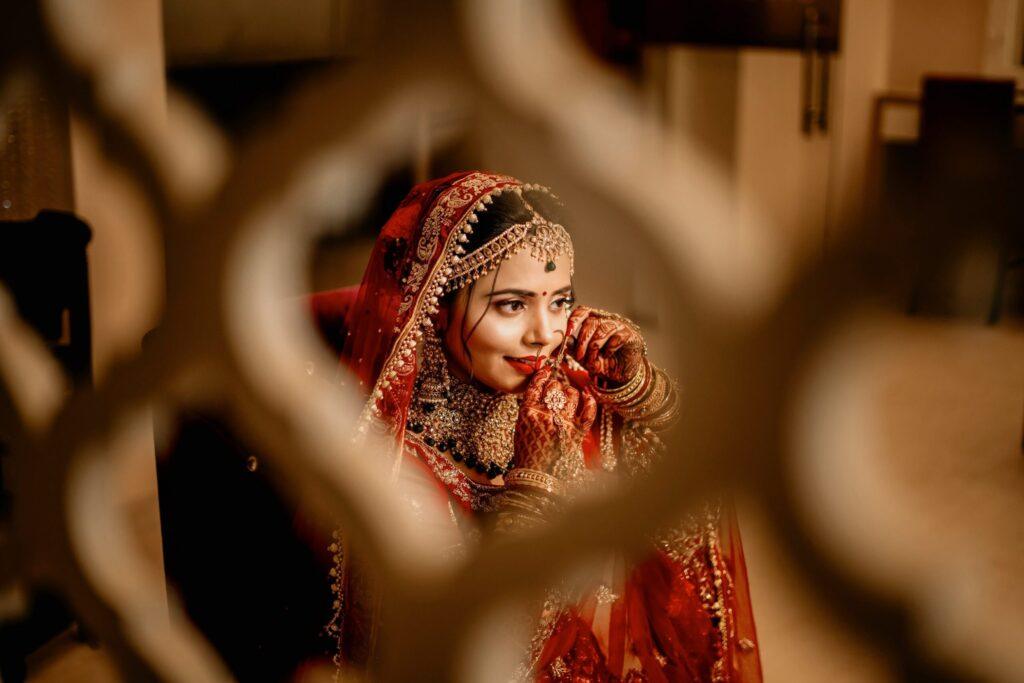

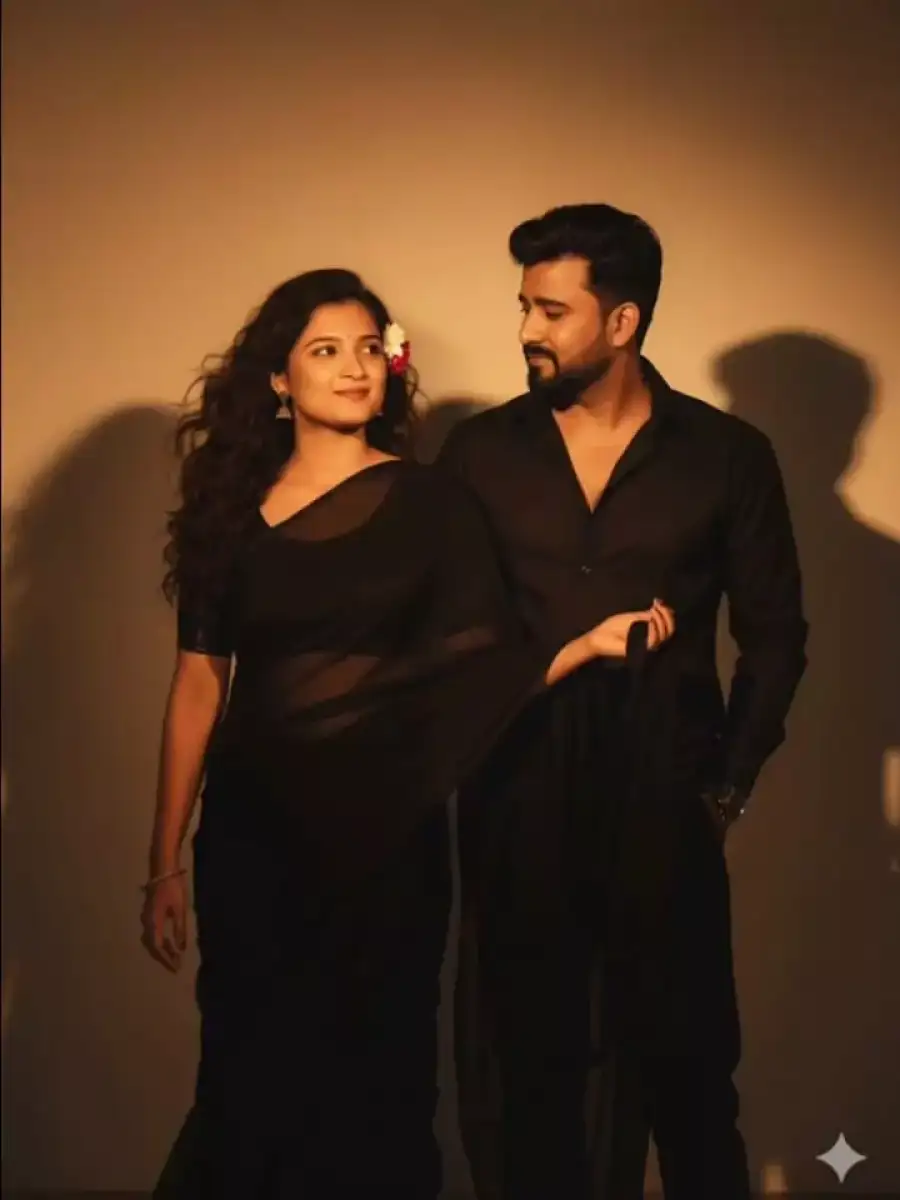
You want your pre-wedding photos to stand out, right? With nano banana ai, you can create stunning images just by describing your dream scene. Over 20% of couples now use AI tools for wedding planning, making it a top choice. By giving nano banana ai details like location, mood, and outfits, your pictures become brighter and more exciting. Using a prompt for wedding couple pictures in nano banana can really transform your photos. Check out how different prompt types can change your images:
Prompt Type | Description |
|---|---|
Vibrant Colour Pop | Makes the clothes stand out with bright colors, enhancing the overall look of the picture. |
Dynamic Motion Blur | Captures movement while keeping the couple sharp, making photos feel lively and dynamic. |
Festive Environment Injection | Adds elements like lights to the background, giving the picture a more festive vibe. |
Dandiya Drama | Adds style and texture to poses, making them more visually interesting. |
Nano banana ai saves you both time and money compared to traditional photography. You can experiment with creative ideas, such as using a prompt for wedding couple pictures in nano banana, and mix different styles for unique and memorable results.
Key Takeaways
Give clear prompts to help Nano Banana AI. Add details like place, feeling, and clothes to get great pictures.
Try out many styles and themes. Mixing ideas can make special wedding couple pictures.
Keep your photos private when you upload them. Do not share private pictures and delete extra data first.
Change lighting and backgrounds with ease. Use easy prompts to fix your pictures until they look right.
Use AI for fast changes. Nano Banana AI can help you work faster and make your photos better.
Getting Started with nano banana ai
Setting Up for pre-wedding photos
You might want cool pre-wedding photos but feel unsure about nano banana ai. It is easy to start and does not take long. Here is what you need to do:
Go to the nano banana ai website and click Start Editing.
Pick your favorite photo to upload. Add a prompt that tells what style or scene you want for your pre-wedding photos.
Tap Generate and let nano banana ai make your picture.
Wait a short time for the image to finish. When you see your new photo, press Download to save it.
Tip: Think about the mood, place, and clothes you want before you write your prompt. This helps nano banana ai make the best pre-wedding photos for you.
Uploading Images for image generation
When you upload pictures for image generation, remember to think about privacy. Some people forget that sharing personal photos with AI tools can be risky. Here are some things to keep in mind:
Sharing personal photos can mean someone else uses or shares your images.
Some AI services might keep your photos and use them to train their models.
Details in your photos, like location tags, can show private information.
To stay safe, do these things:
Do not upload sensitive photos or pictures of kids.
Take out any extra data from your photos before you upload.
Only use official nano banana ai apps or trusted websites.
You want your pre-wedding photos to look great, but you also want to keep your privacy safe. If you follow these tips, you can use nano banana ai and image generation without worry.
prompt for wedding couple pictures in nano banana
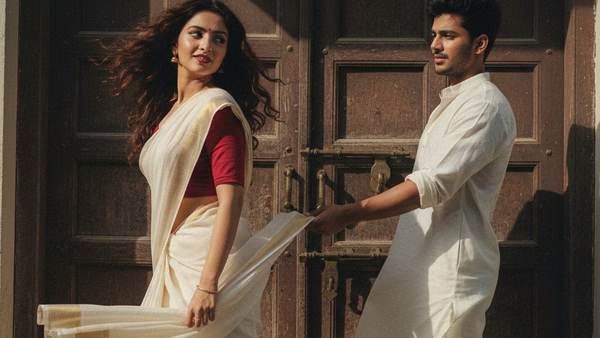
Crafting Specific Prompts
You want your wedding couple pictures to look great. The trick is to use clear and detailed prompts. These prompts help nano banana ai make the pictures you want. When you write a prompt for wedding couple pictures in nano banana, add the place, mood, clothes, and style. This helps the image generation work better and gives you the best photos.
Here’s a table with some prompt ideas you can use:
Prompt Structure | Description |
|---|---|
Plan a pre-wedding photoshoot for an Indian couple at a big Rajasthani fort. Use warm sunset light and marigold petals. | |
Romantic photoshoot at a waterfall | A romantic pre-wedding photoshoot happens at a beautiful waterfall. It uses detailed words for clothes and the setting to make it feel more romantic. |
Artistic shot in a vintage car | Make a romantic and creative photo of a couple in a vintage car filled with flowers. Focus on the fun and romantic parts of the scene. |
When you use detailed prompts, you get to choose how your photos look. You can be very specific. Instead of saying “traditional outfit,” you can say “Bengali Tant Saree with red and white stripes” or “Gujarati Bandhani Saree with bright tie-dye patterns.” This helps nano banana ai know what you want and make pictures that match your culture and style.
Tip: Break your prompt into steps. Start with the place, add the mood, talk about the clothes, and finish with any special details. If you want a certain camera angle or lighting, say that too.
You can also use photo model prompts to help with poses and faces. For example, “Couple holding hands, smiling at each other, standing under cherry blossom trees.” This makes your image generation more correct and personal.
Here are 20 creative image generation prompts for couples you can try:
Couple dancing in the rain under city lights.
Bride and groom walking on a sandy beach at sunset.
Couple sharing a laugh in a cozy mountain cabin.
Bride in a flowing saree, groom in a sherwani, standing in a palace courtyard.
Couple posing with vintage bicycles in a sunflower field.
Bride and groom sitting on a picnic blanket in a forest.
Couple holding hands in front of a waterfall.
Bride twirling in a lehenga, groom watching with a smile.
Couple sitting in a classic car filled with roses.
Bride and groom in traditional attire, standing by a lake.
Couple sharing an umbrella in a rainy street.
Bride and groom posing with their pet dog in a garden.
Couple gazing at each other on a rooftop with city views.
Bride and groom walking through a field of marigolds.
Couple sitting on a swing decorated with flowers.
Bride and groom in matching pastel outfits, standing in a lavender field.
Couple holding lanterns at night in a forest.
Bride and groom posing in front of a grand temple.
Couple sharing a quiet moment in a vintage café.
Bride and groom riding bicycles together on a country road.
You can use these prompts to make special wedding couple pictures in nano banana. Try mixing different ideas to find the style you like best.
Blending Styles and Themes
You can make your wedding couple pictures even more special by mixing styles from two different images. Nano banana ai lets you use the art style from one photo and the main subject from another. This is great if you want something really different.
Here’s how you do it:
Pick two images. One should have the pose and setup you like. The other should have the colors, textures, or art style you want.
Use a prompt for wedding couple pictures in nano banana like:
Transform this image [Image1] into the artistic style of [Image2]. Keep the main subject, setup, and details from [Image1], but use the colors, textures, and look of [Image2]. High-quality, illustration style, matching details.You can change the prompt to fit what you want. For example, ask for “vintage Bollywood style” or “1970s retro lounge with glowing jukebox.”
Blending styles works well for creative ideas. Couples like to try vintage Bollywood looks, like a bride in a chiffon saree with a 1990s movie star look. You can also make a time-travel theme, like a couple in a retro lounge with old records and a jukebox. These creative image generation prompts help your photos stand out and be remembered.
Note: If you want to show your culture, add special regional styles in your prompt. For example, “Bride in Bengali Tant Saree, groom in classic kurta, standing in a traditional West Bengal home.” This helps nano banana ai respect your traditions and make real-looking images.
You can keep changing your prompts. If the first picture is not perfect, change the lighting, background, or faces. The more you try, the better your pictures will be.
When you use a prompt for wedding couple pictures in nano banana, you get many choices. You can make romantic, creative, or fun photos. You can mix styles, try new themes, and show your personality. Nano banana ai makes image generation easy and fun for couples who want something special.
unique ways to create stunning pre-wedding photos
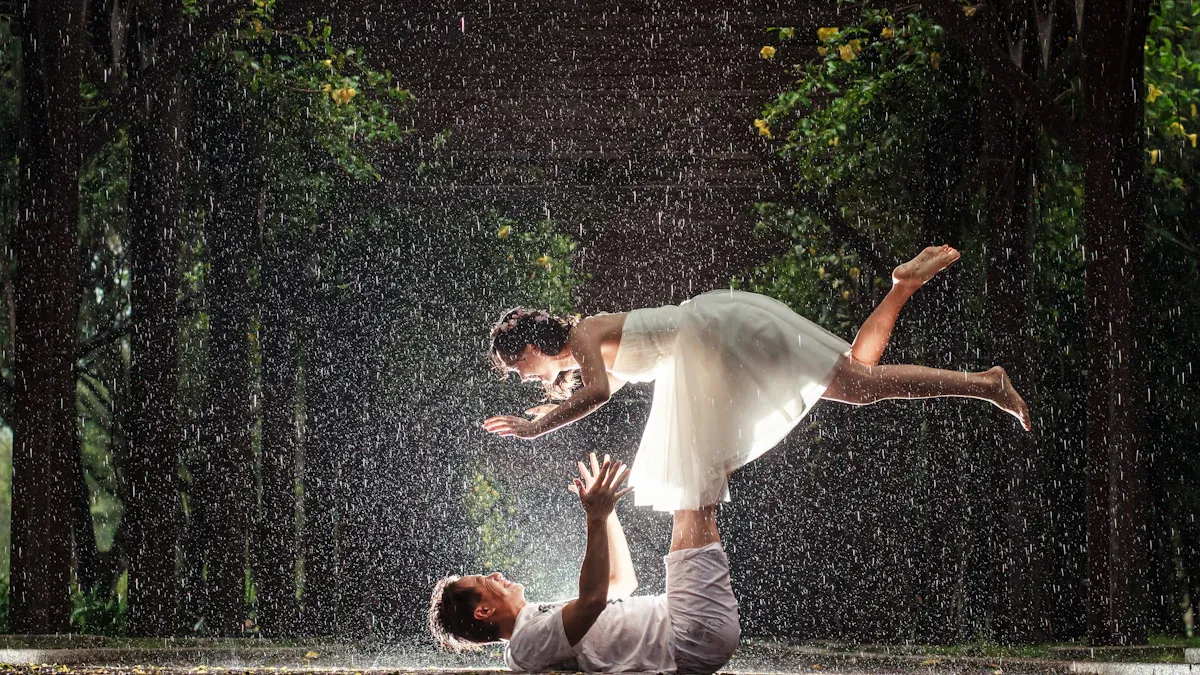
Using Scenic and Intimate Settings
You want your pre-wedding photos to feel special. There are many ways to make scenes that fit your style. Nano Banana AI lets you try places and moods you may not visit in real life. You can upload a couple photo and see it changed into a beach sunset or a mountain cabin.
Here are some fun ideas you can use:
Put your couple in a garden with lots of flowers.
Show a family photo in a pretty park.
Make a scene with the couple on a beach with waves.
Mix three photos to make a new one with a sunset, a forest, and a smiling couple.
Change the background to move your couple from a city to the countryside.
Tell a story by showing the couple in the same place as the seasons change.
Nano Banana AI helps you make bright portraits in cool places. You can keep the couple the same but change the background for a new look. If you want a theme, you can pick anything from vintage Bollywood to a modern city. You get to choose how your pre-wedding photos look, and you can try many ideas.
Tip: Try mixing backgrounds and poses. You might find a style that is perfect for you and your partner.
Visualizing Bridal Makeup Looks
You may wonder how your bridal makeup will look in photos. Nano Banana AI works like a digital makeup artist. You can upload your photo and use prompts to try different makeup styles before your big day. This helps you see which look goes best with your dress, jewelry, and theme.
Here’s how to use Nano Banana AI for makeup:
Makeup Style | Prompt Example | Result Description |
|---|---|---|
Classic Red Lips | “Bride with bold red lipstick and winged eyeliner” | Shows a timeless, elegant look |
Soft Pastel Glow | “Bride with pastel eyeshadow and natural blush” | Creates a gentle, romantic effect |
Glamorous Glitter | “Bride with glitter eyeshadow and glossy lips” | Adds sparkle for a festive vibe |
Traditional Bridal | “Bride with deep kohl eyes and gold jewelry” | Highlights cultural beauty |
You can make a special bridal look by mixing styles. For example, you might want a modern touch on a classic look. Just say what you want in your prompt, and Nano Banana AI will show you. You can even see how your makeup looks with different lights or backgrounds.
Note: If you want your makeup to match your outfit, say the colors and style in your prompt. You can see how it all fits before your pre-wedding photos.
Nano Banana AI lets couples try out makeup, backgrounds, and themes. You can make pictures that feel personal and special. You get to see your ideas come alive, and you can share them with friends and family before your big day.
Refining image generation results
Adjusting Lighting and Backgrounds
You want your wedding couple pictures to look perfect. Nano Banana AI lets you change many things in your photo. You can make the lighting brighter or softer. You can switch backgrounds or add props with easy prompts. Try saying, “Make the lighting softer,” or “Change the wall color to light gray.” You can even ask for a coffee cup on the table, and the AI will put it there.
Here’s how you can make your image better, step by step:
Give new prompts to change angles, props, or lighting until you like the picture.
Use the AI editor for small fixes, like moving a lamp or adding shadows.
Keep your couple looking the same while you change the background or mood.
Tip: If you want a cozy feeling, ask for warm lighting. For an outdoor look, try “Bright natural sunlight” or “Green garden background.” You can make many moods with just a few words.
Nano Banana AI lets you keep editing until your ai-generated images look how you want. You do not have to use the first picture. You can make a scene that feels special and just for you.
Enhancing Artistic Styles
You can make your wedding couple pictures stand out by picking different artistic styles. Nano Banana AI gives you lots of choices, like traditional wedding clothes or anime-style avatars. You might want a romantic look, a formal photo, or a casual picture.
Here are some popular styles you can try:
Traditional wedding outfits with flower decorations and warm colors.
Romantic themes with soft backgrounds and gentle colors.
Casual photos that feel real and relaxed.
Formal portraits with movie-style lighting.
Anime-style avatars for a fun twist.
Style | Description |
|---|---|
Traditional | Man in sherwani, woman in lehenga, floral mandap, warm tones |
Romantic | Soft lighting, gentle colors, dreamy background |
Casual | Natural poses, simple outfits, relaxed setting |
Formal | Cinematic photography, elegant attire, classic backdrop |
Anime | Cartoon avatars, bright colors, fun expressions |
You can mix styles or ask for something new. Try prompts like “Cinematic photography with realistic shadows” or “Anime-style couple in pastel outfits.” You get to make images that show who you are and tell your story.
Want to see your couple in different styles? Keep trying new image generation prompts. You will find new favorites each time.
Best Practices for nano banana ai
Experimenting and Reviewing
When you start using nano banana ai, you want your wedding couple pictures to look amazing. The best way to get great results is to experiment with your prompts and review each image. Try these steps to make your workflow smoother:
Start with a simple prompt. Focus on the main change you want, like a new background or a different outfit.
Add more details slowly. You can mention colors, lighting, or special props as you go.
Use clear instructions. If you want to keep something the same, say so. For example, “Do not change the couple’s faces.”
Break edits into steps. Change one thing at a time, like the pose first, then the background.
Always say what you want up front. This helps nano banana ai understand your goal.
You should also look at each image closely. Ask yourself if the photo feels original and matches your story. Try combining different AI tools to boost quality. Show before and after images to friends or family. This helps you see which edits work best. If you want depth, layer your ideas in the prompt. You can even create a series of images to tell a story about your journey as a couple.
Tip: Personalize your prompts. The more unique your ideas, the more special your photos will be.
Integrating with Photography Workflow
Nano banana ai fits right into your photography workflow. You can use it to save time and make editing easier. Many photographers say it cuts hours of work down to seconds. You get to pick the best shots with smart culling, and you can make changes fast.
Here’s a table showing how nano banana ai helps you:
Feature | Description |
|---|---|
Object Manipulation | Add or remove objects so they look real, matching the lighting and scene. |
Portrait Refinement | Change expressions or gazes while keeping the couple’s true look. |
Background Extension | Make backgrounds bigger without weird patterns or fake spots. |
Product Mockups | Put logos or products into photos smoothly. |
Photographers love the flexibility nano banana ai gives. You can create group photos even if people are far apart. You get realistic results and more control over backgrounds and poses. Some people worry about authenticity, so always check for small changes that might look unnatural. If you spot something odd, try a new prompt or adjust the details.
Want to keep your workflow simple? Use nano banana ai for quick edits, then review each image to make sure it feels real and matches your style.
Nano banana ai helps couples and photographers work together. You get creative control, save time, and make memories that last.
You can make amazing wedding couple pictures with Nano Banana AI. Just follow a few simple steps. Try out different prompts to see what works. Mix styles to get new looks. Explore fun ideas to make your photos stand out. Using AI gives you pictures that show your story. Here are some long-term benefits:
Benefit | Description |
|---|---|
You get your pictures quickly. This saves you time and makes you happy. | |
Quality | Your photos look great and stay beautiful for many years. |
Democratization of Editing | Anyone can edit like a pro. More people get to enjoy awesome wedding memories. |
Here’s what will happen next:
Couples use AI for pre-wedding shoots in cool places.
You can skip old ways and try new styles.
Nano Banana AI helps you make awesome pictures without going far.
Your memories will look special and feel real. You can share moments that last forever.
FAQ
How do I write a good prompt for Nano Banana AI?
You should be clear and give details. Tell about the place, mood, clothes, and style. Try to split your prompt into small steps. For example, you can say, “Couple on a beach at sunset, wearing pastel outfits, smiling.”
Tip: Add things like lighting or background to get better pictures!
Can I use Nano Banana AI for group wedding photos?
Yes, you can use it! Upload a group photo and use prompts to change backgrounds, clothes, or poses. You can make family or friends’ pictures look real and fun.
Is it safe to upload my personal photos?
Nano Banana AI cares about privacy. Do not share private or sensitive photos. Take out extra data before you upload. Always use trusted websites or official apps.
Safety Step | What You Do |
|---|---|
Remove metadata | Delete location info |
Use trusted sites | Pick official platforms |
Can I try different bridal makeup styles before my wedding?
Yes, you can! Upload your photo and use prompts like “soft pink blush” or “classic red lips.” Nano Banana AI will show how each makeup style looks with your outfit.
What if I don’t like the first image Nano Banana AI creates?
That is okay! You can change your prompt and try again. Change the lighting, background, or style. Keep trying until you get a picture you really like. 😊